
Dashboard
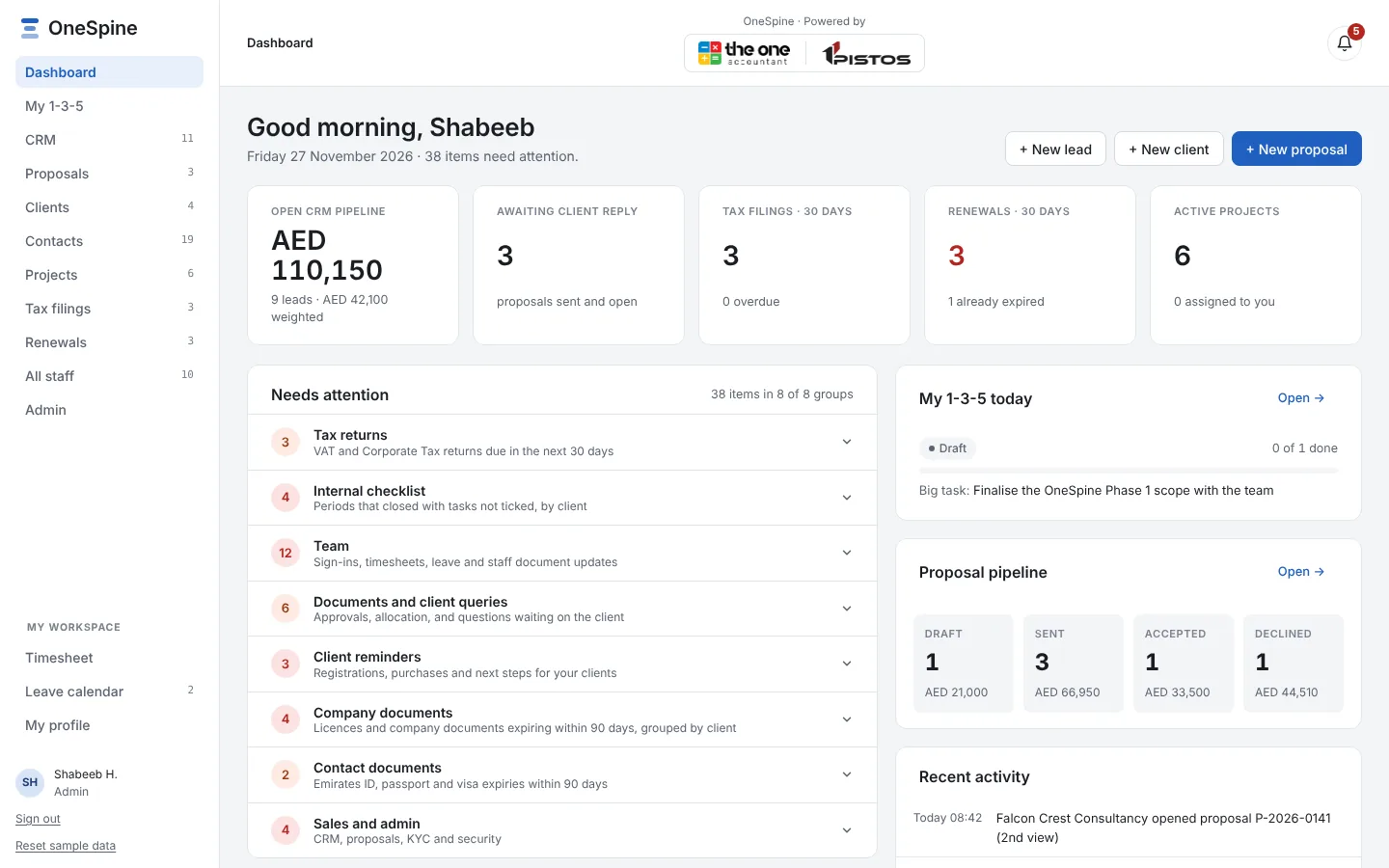
Each morning opens on what needs someone today: tax returns due in 30 days, licences and IDs about to expire, proposals a client hasn't opened, documents waiting for review. Every item links straight to the client it belongs to.
Cookies. We set only the essential ones unless you agree to analytics and advertising measurement. What each one does.
Remembers the choice you make here and which offers you have closed, and lets our forms tell a person from a bot. Stored in this browser only. Nothing is sent anywhere and nothing follows you to another site.
Google Analytics 4 (_ga, up to 2 years). Counts visits and shows which pages
and services people actually read, in aggregate. We never send Google your name, email
address or phone number.
Google Ads measurement through Tag Manager (_gcl_au, about 90 days). Tells us
which advert led to an enquiry, so we stop paying for the ones that do not. No adverts are
sold or shown on this site.
OneSpine · built by The One Accountant
OneSpine is the platform we run our client work on. Our team plans the day, sends proposals and tracks every filing and renewal in it. Our clients follow their work from one link, on their phone, without a password.
For our clients
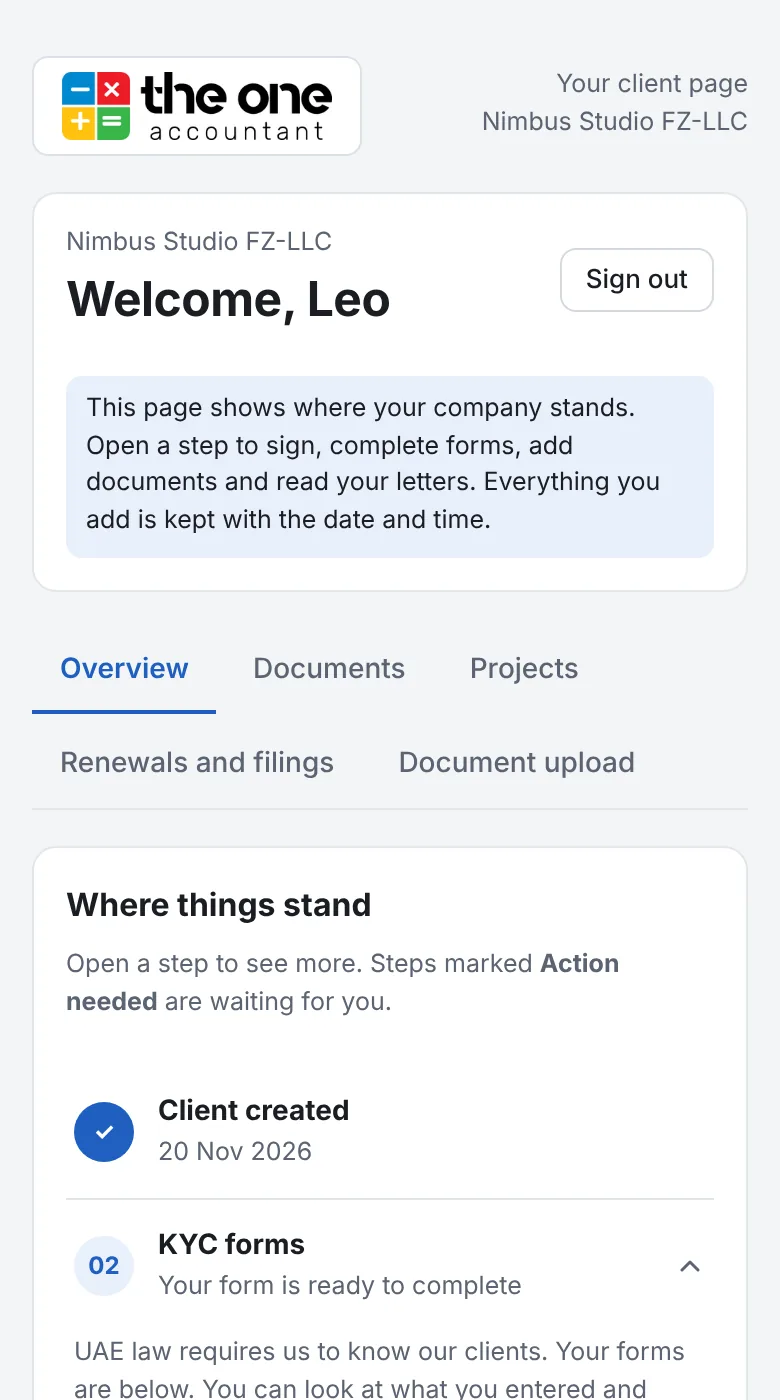
Every client gets a page of their own. You open it from the link we send you, type the six-digit code we email you, and you're in. No app to install, no password to reset.
The screens show sample clients, not real ones.
For our team
Seven screens our accountants, account managers and sales team work from every day.
Each morning opens on what needs someone today: tax returns due in 30 days, licences and IDs about to expire, proposals a client hasn't opened, documents waiting for review. Every item links straight to the client it belongs to.
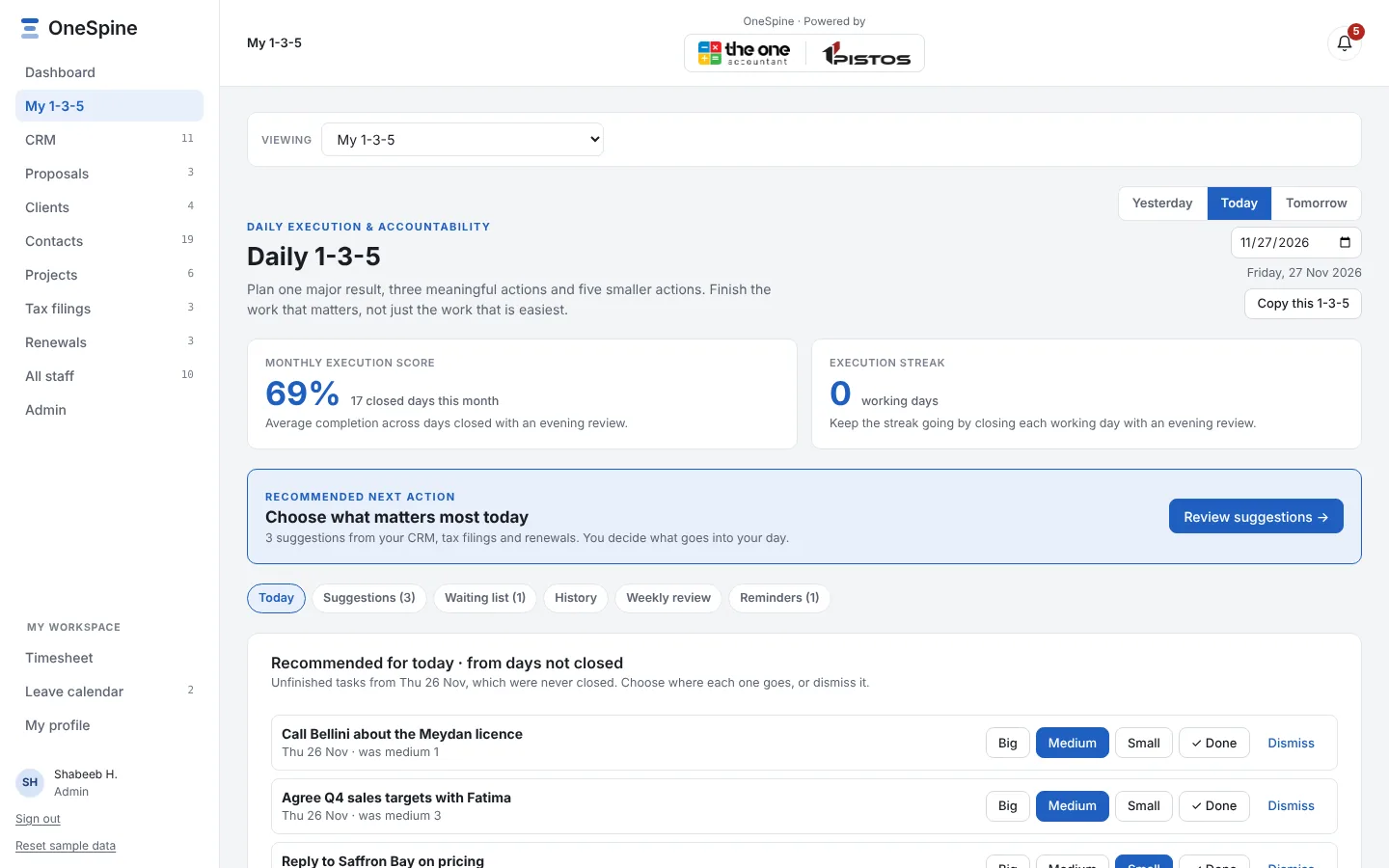
Everyone plans one big task, three medium ones and five small ones for the day, and closes the day with a short review. Unfinished items come back the next morning, so nothing drops off the list.
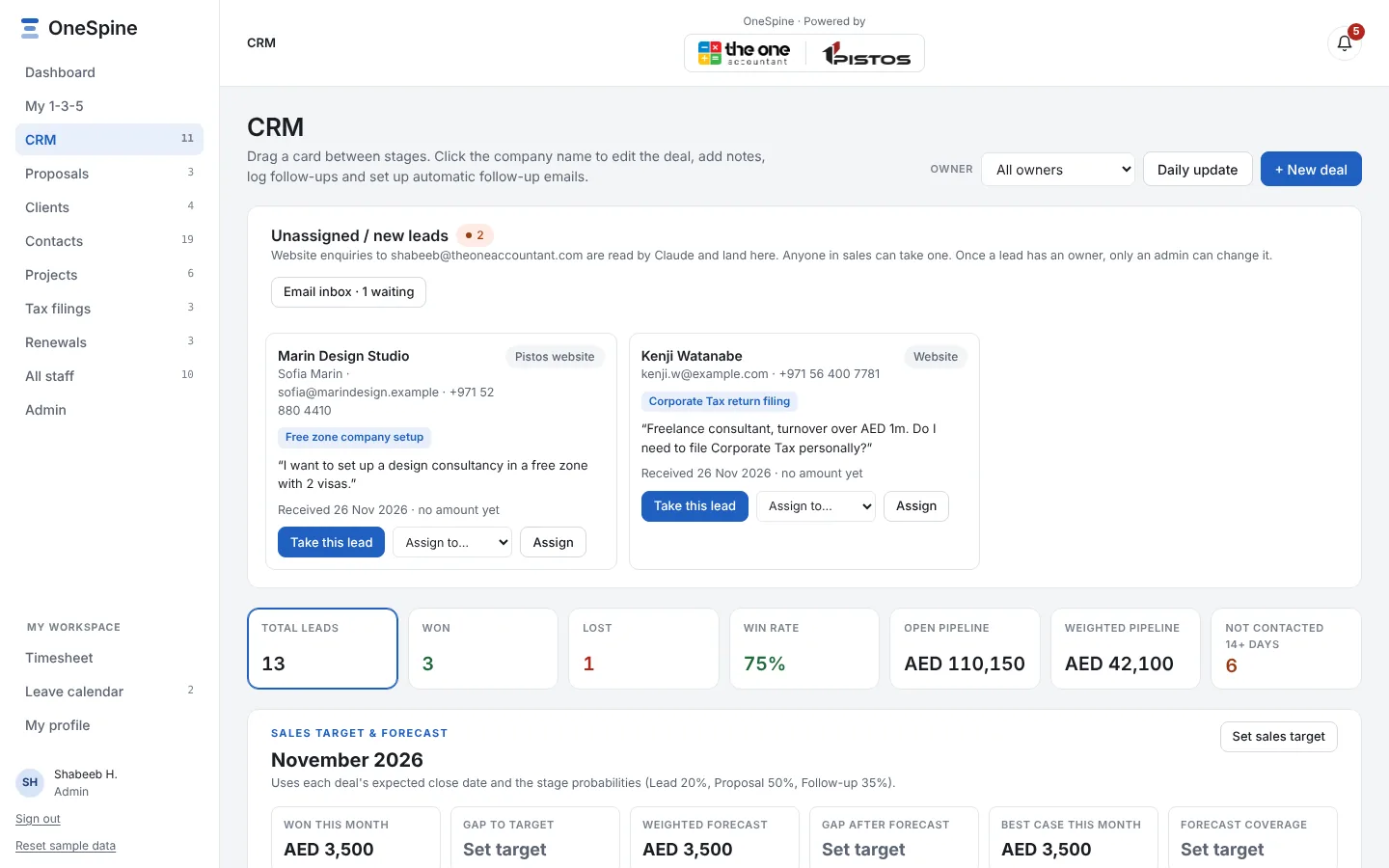
Website enquiries land as new leads, with the form they came from. Deals move across stages, follow-ups have dates, and the pipeline shows a weighted forecast against the month's target.
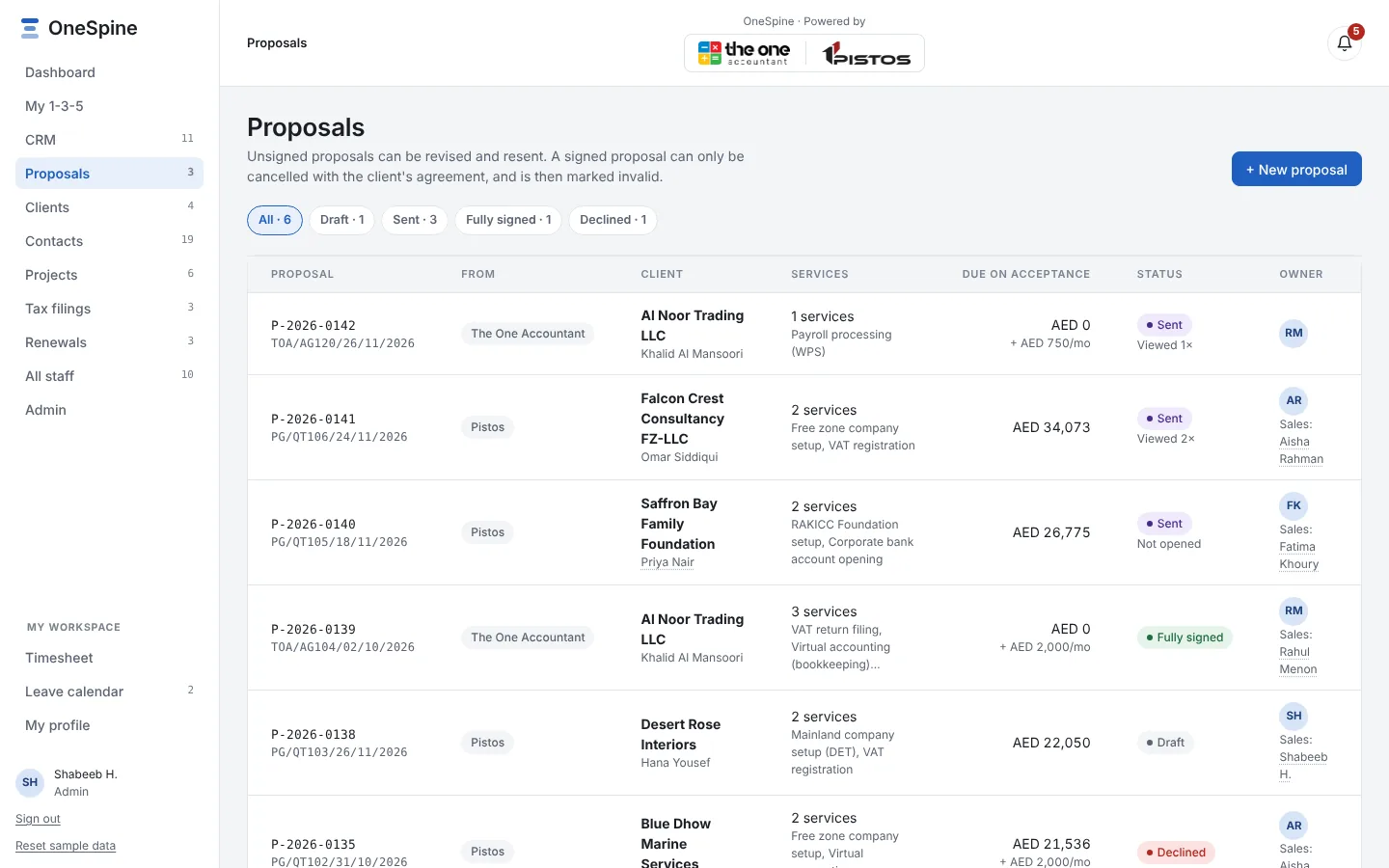
Proposals are built from the fee list, sent from the account manager's own Outlook, and signed by the client online. We can see when a proposal is opened, and a signed one starts the client's onboarding by itself.
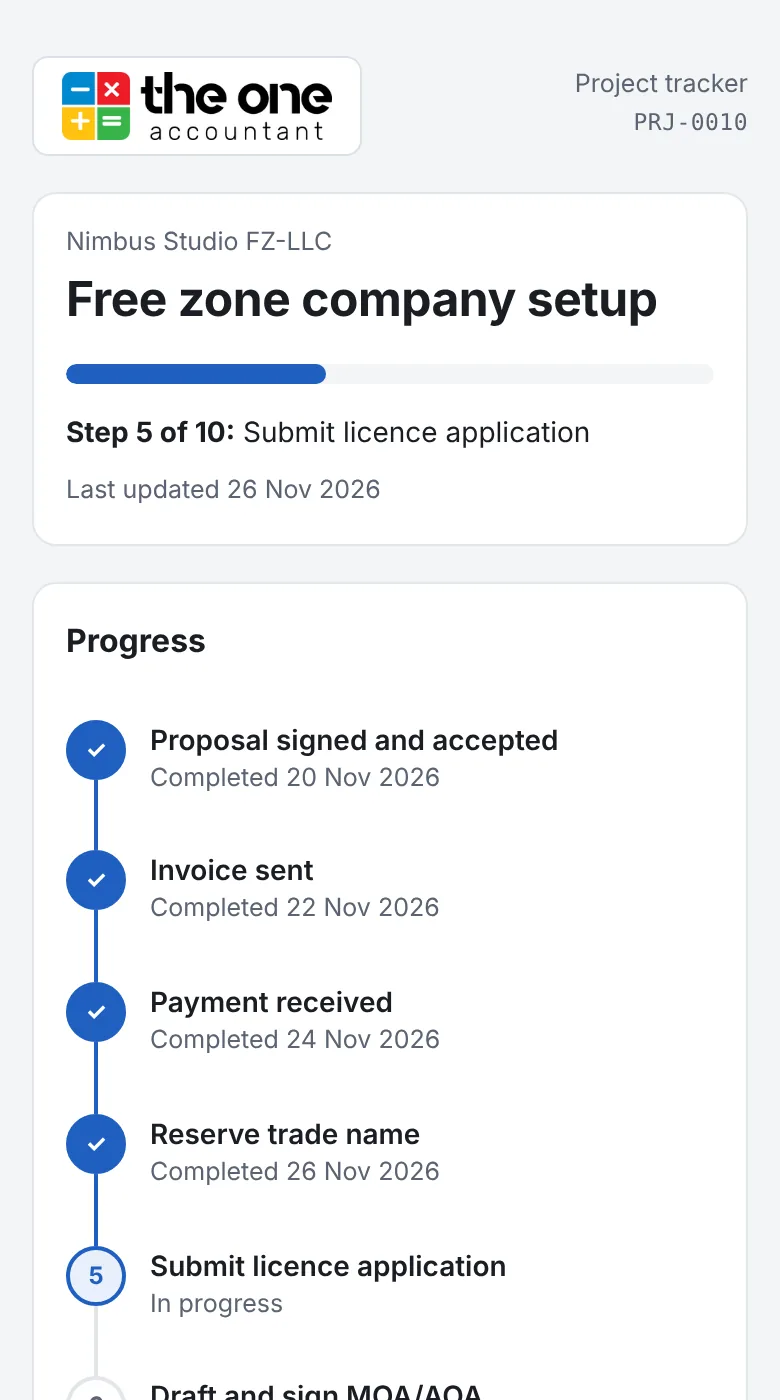
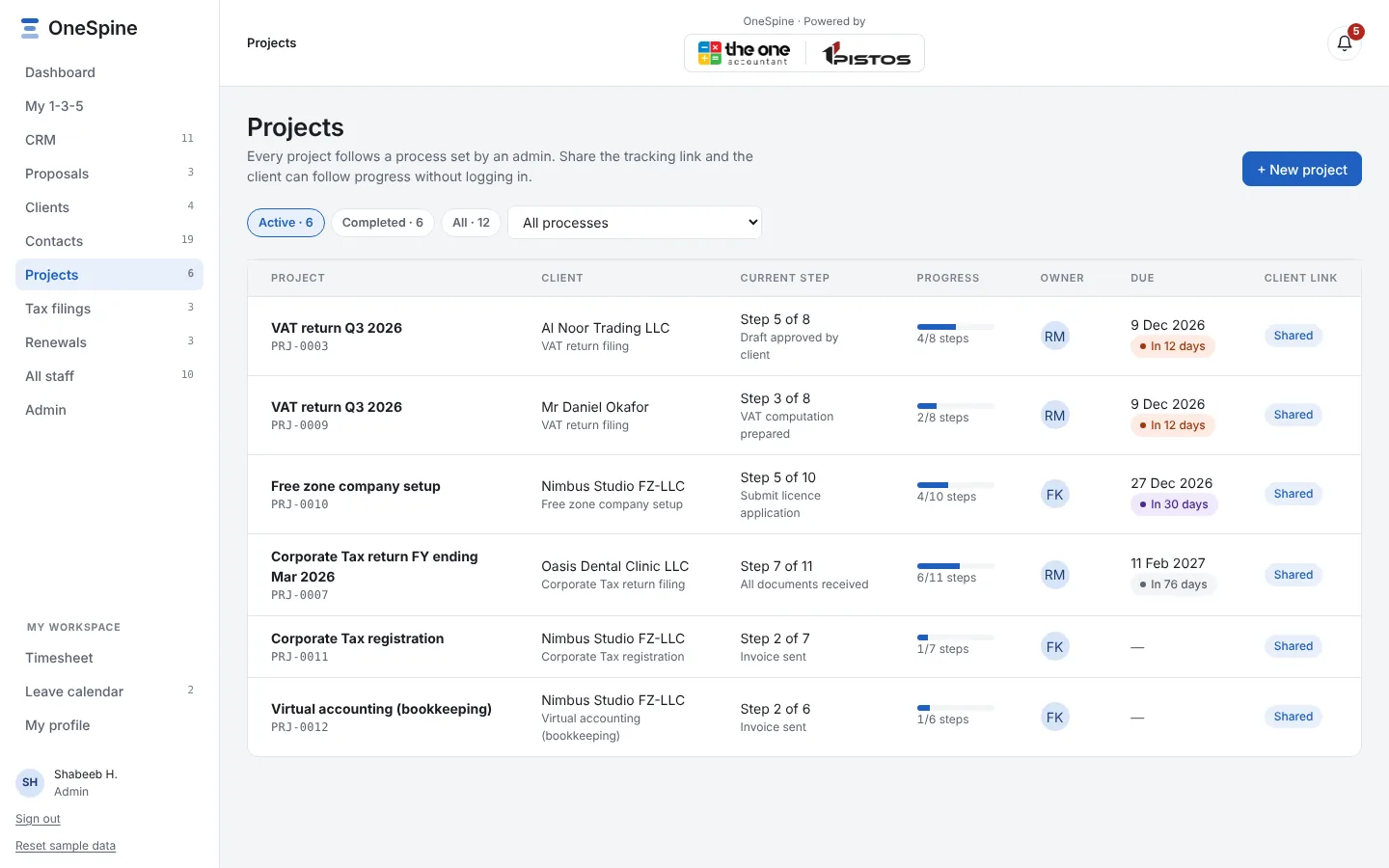
Every piece of work follows a set process, from a free zone setup to a quarterly VAT return. The team sees the current step and due date; the client follows the same steps from a link.
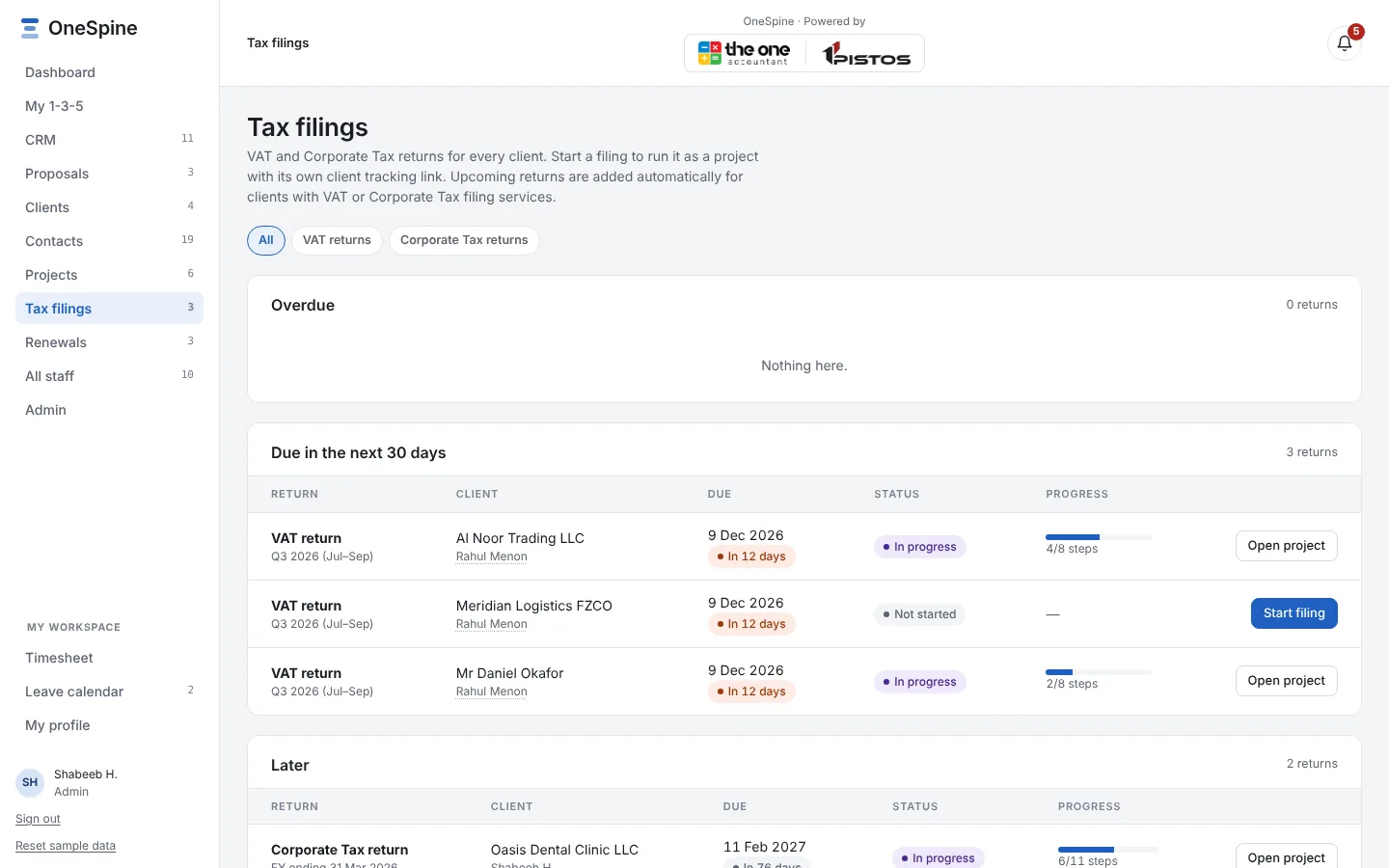
VAT and Corporate Tax returns appear for every client on a VAT or Corporate Tax service, with the due date, the owner and how far along the work is. Starting a filing opens it as a project.
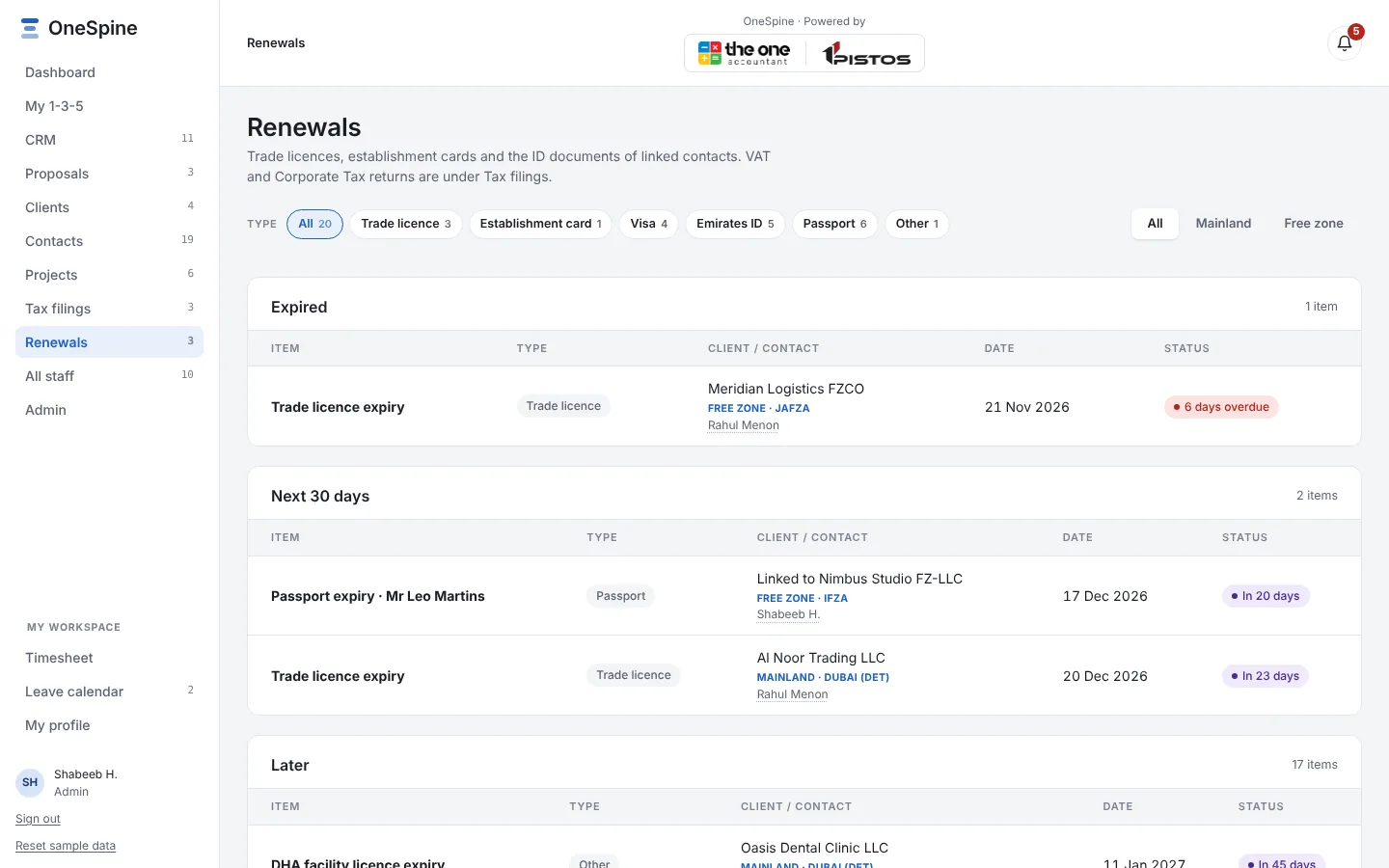
Trade licences, establishment cards, visas, Emirates IDs and passports, for the company and its people, sorted into expired, the next 30 days and later. The renewal is started before the date passes, not after.
For accounting firms
Proposal, KYC, documents, projects, filings, renewals and hours all hang off the same client. Nobody keeps their own spreadsheet of who owes what.
VAT and Corporate Tax dates and every licence and ID expiry come up 30 days ahead, in the dashboard and in the daily email to the account manager.
Clients see what's waiting for them and upload it to the right place. Reminders go out from the account manager's mailbox, so replies come back to a person.
The 1-3-5 and timesheets show what each person set out to do, what they finished and the hours spent on each client.
Leads from the website, proposals with open tracking, follow-up dates and a forecast against target, in the same system the work is delivered from.
KYC forms with consent, signed proposals, and a log of who did what and when. The log can be added to but not edited.
Self-hosted
A firm's client files are the most sensitive thing it holds. OneSpine doesn't ask you to hand them to anyone. It's installed in accounts your firm owns and connects to the Microsoft 365 you already pay for.
Questions
OneSpine is the platform The One Accountant runs its client work on. It holds each client's proposal, KYC forms, documents, projects, tax filings and renewal dates in one record, and gives the client a page where they can follow their work and send us what we need.
No. A client opens their page from a link we send and confirms their email with a six-digit code. The code expires after 10 minutes. There's nothing to install and no password to forget.
See where each piece of work stands, fill in and sign KYC forms, sign proposals, upload documents to the right request, and check their upcoming licence, visa and tax dates. Everything they add is kept with the date and time.
In accounts the firm using OneSpine owns. Sign-in runs through the firm's Microsoft 365, documents go to the firm's SharePoint, and emails are sent from the firm's own mailboxes. Nothing sits on a server shared with other firms.
Yes. OneSpine is installed in the firm's own Microsoft 365 and accounts and set up with its services, fees and processes. Send us your details below and we'll walk you through it with sample data.
Yes. The client page and the project tracker are built for a phone first, since that's where most clients open a link from WhatsApp or email. The team side works on a phone too.
See it with your own processes
Tell us how many people you have and which services you run. We'll show you OneSpine with sample data and talk you through installing it in your own Microsoft 365.
Already a client of ours? You don't need to do anything. Your account manager sends you your link.
A 30-minute call with sample data. No obligation.